 how-to
How to Build Interactive Quiz Questions That Work
Table of Contents
- How to Build Interactive Quiz Questions Step by Step
- Interactive Quiz Question Examples for K-12 Classrooms
- Converting Paper Exams to Digital Format Without Losing Integrity
- Online Assessment Tools for Educators: What to Look For
Last Updated: August 17, 2026
How to Build Interactive Quiz Questions Step by Step
Building interactive quiz questions is more than digitising prompts, it shapes how students engage with material, reveals genuine understanding, and gives teachers actionable data.
Start with a clear learning objective. Before writing a single question, ask: what do I need the student to demonstrate? That answer determines your question type, scoring logic, and how you interpret results.

Follow these steps to build interactive quiz questions that hold up under real classroom conditions:
- Define the learning outcome. Each question should map to one specific skill or concept.
- Choose the right question type. Multiple-choice suits recall. Open-ended questions assess reasoning. True/false checks foundational understanding. Drag-and-drop and matching formats add interactivity without sacrificing rigour.
- Write clear, unambiguous stems. The question should be readable in one pass. Avoid double negatives and loaded language.
- Build meaningful distractors. Wrong answers should reflect common misconceptions, not random guesses.
- Set your scoring logic. Decide whether partial credit applies, whether branching paths adjust difficulty based on prior answers, and how instant feedback will be delivered.
- Test before you publish. Run through the quiz yourself. Check mobile responsiveness, confirm timing settings, and verify that the scoring logic fires correctly.
According to cognitive load theory research compiled by the Education Endowment Foundation, reducing unnecessary complexity in assessment design directly improves the reliability of results.
Interactive Quiz Question Examples for K-12 Classrooms
The question type you choose signals something to students before they even start reading. Multiple-choice questions imply recognition; open-ended questions demand construction. Both have their place, but mixing formats keeps engagement high and gives you richer data.
Science (Year 8 Biology)
- Multiple-choice: "Which process converts light energy into chemical energy? A) Respiration B) Photosynthesis C) Digestion D) Osmosis"
- True/false with justification: "Mitochondria are found only in animal cells. True or False? Explain your answer in one sentence."
History (Year 10)
- Matching: Match each treaty to its year and key outcome.
- Sequencing/drag-and-drop: Place these events from the First World War in chronological order.
Mathematics (Years 5-6)
- Fill-in-the-blank: "If a rectangle has a length of 12 cm and a width of 7 cm, its area is ___ cm²."
- Multiple-choice with worked example: Present a partially solved problem and ask students to identify the error.
Branching paths add another layer. If a student answers incorrectly, the quiz can route them to a simpler scaffolded version of the same concept before moving forward. As guidance from the Assessment Reform Group via the University of Cambridge notes, assessment for learning is most effective when it provides immediate, specific feedback that students can act on.
Converting Paper Exams to Digital Format Without Losing Integrity
Converting paper exams to digital format sounds straightforward until you confront what actually changes when a student moves from pen to paper to a screen.
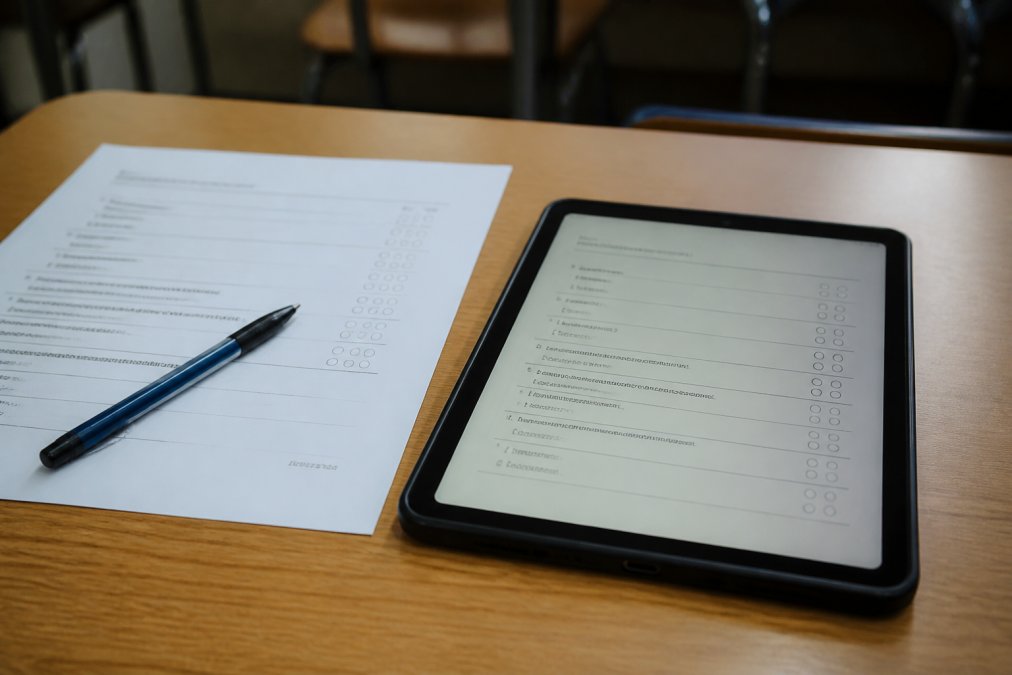
The biggest issue is processing time. A student sitting a traditional written exam reads, thinks, and writes at a pace shaped by years of practice. When you scan that same paper and drop it into a digital environment, the cognitive load shifts. Scrolling replaces page-turning. Typing replaces handwriting. The interface itself becomes a variable.
This matters practically: if your original exam was 45 minutes on paper, you cannot assume 45 minutes is still appropriate on screen without testing that assumption. Many educators find they need to build in additional processing time, particularly for longer reading comprehension tasks or multi-step maths problems where students would normally annotate the paper. Classroom Writer allows teachers to restructure existing content into properly formatted digital assessments, preserving the original question intent while accounting for the different demands of on-screen completion. Teachers retain full control over content, timing, and delivery, so the integrity of the original assessment is not compromised by the format change.
| Consideration | Paper Format | Digital Format | Action Required |
|---|---|---|---|
| Processing time | Fixed by page | Affected by scrolling/typing | Review and adjust time allowance |
| Annotation | Direct on paper | Tool-dependent | Check platform annotation features |
| Question order | Linear | Can be randomised | Decide if randomisation suits the assessment |
| Submission | Physical collection | Auto-submit or manual | Set clear submission rules |
| Academic integrity | Supervised room | Platform controls needed | Enable appropriate restrictions |
The conversion process should be systematic:
- Audit the original paper for question types that need reformatting.
- Identify any questions that rely on physical interaction (e.g., drawing diagrams) and decide on a digital equivalent.
- Rebuild questions in your chosen platform rather than uploading a flat scan, so auto-grading and response tracking function correctly.
- Pilot the digital version with a small group before full deployment.
- Compare completion rates and score distributions against the paper baseline to catch unintended difficulty shifts.
Online Assessment Tools for Educators: What to Look For
Choosing online assessment tools for educators is not a feature checklist exercise. The question is whether the tool fits how your school actually works.
According to research on educational technology adoption published by JISC, the tools that see sustained use in schools are those that reduce friction for teachers, not those with the longest feature list.
Here are the capabilities that genuinely matter:
Question variety and flexibility. The platform should support multiple-choice, true/false, open-ended, matching, and drag-and-drop at minimum.
Real-time analytics and exportable reports. You need to see how a class performed on each question. Response tracking that surfaces which distractors students chose is more valuable than a simple score.
AI-generated content, used carefully. AI-powered quiz generation can accelerate the creation of first drafts, but teacher review is non-negotiable. The teacher must remain the author.
Academic integrity controls. For formal assessments, you need the ability to restrict copy-paste, control which resources students can access, and monitor submission behaviour.
Embeddable forms and integration. The best online assessment tools for educators connect to your existing systems. Check whether the platform integrates with your school's LMS before committing.
Mobile responsiveness. Students complete assessments on a range of devices. A quiz that breaks on a tablet produces unreliable data.
The right tool is the one your teachers will actually use consistently. Prioritise a familiar workflow, clear workspace design, and support that responds when something goes wrong.
Building effective interactive quiz questions is a skill that compounds over time. The first assessment you convert or create digitally will take longer than the tenth. Classroom Writer supports that process by giving teachers a structured, controlled environment to create and deliver assessments, with user-defined content and a workflow that does not require rebuilding your entire assessment library from scratch. Start free and see how much of your existing material you can bring into a format that works harder for both you and your students.
Frequently Asked Questions
How do I make an interactive quiz for students?
Start by defining your learning objective, then select question types that match it: multiple-choice for recall, open-ended for analysis, and true/false for quick checks. Build in instant feedback so students know where they went wrong. Use an online assessment tool that supports auto-grading and response tracking, and test the quiz yourself before assigning it to confirm timing, scoring logic, and mobile responsiveness all work as expected.
Why is timing important when moving from paper to digital quizzes?
Paper quizzes give students natural processing time as they scan questions and plan answers. A direct digital conversion often removes that buffer, meaning students face the same cognitive load in a format they are less familiar with. When converting paper exams to digital format, review the original time allowance carefully. Students may need additional time to read on screen, navigate between questions, and type responses, especially if the original was designed for handwritten answers.
What are the best practices for designing digital assessment questions?
Write each question around a single, clear idea. Avoid double-barrelled phrasing like 'explain why and how.' For multiple-choice, make all distractors plausible so the question tests understanding rather than elimination. Include open-ended questions to reduce the risk of AI-generated or copied responses. Add branching paths where appropriate so stronger students face appropriate challenge. Always review questions for accessibility: clear language, sufficient contrast, and screen-reader compatibility.
How can I digitize old exam papers for interactive testing?
Scan or photograph the original paper, then rebuild each question in your chosen platform rather than simply uploading an image. Rebuilding lets you add scoring logic, instant feedback, and response tracking that a static image cannot provide. Critically, reconsider the time limit: a 45-minute paper exam may need extra time in digital form to account for student cognitive processing time and screen-based reading. Classroom Writer supports this structured rebuild process within a controlled assessment environment.
This article was written using GrandRanker